January 10, 2025
Using Cloudflare For Your Custom Bluesky Domains

Over the holiday break(s) - I had sat down and converted my Bluesky handle from the very nice tylerauerbeck.bsky.social to use one of the many, many domains I had laying around. Since Bluesky has made this simple, it almost doesn't make sense to write this up - just follow the directions on their site!
However, I decided to take a few extra steps.
In general, you probably have a domain (i.e. awesomehandle.io ). Once you decide you want to start using that as your handle, it's as simple as navigating to Settings -> Account
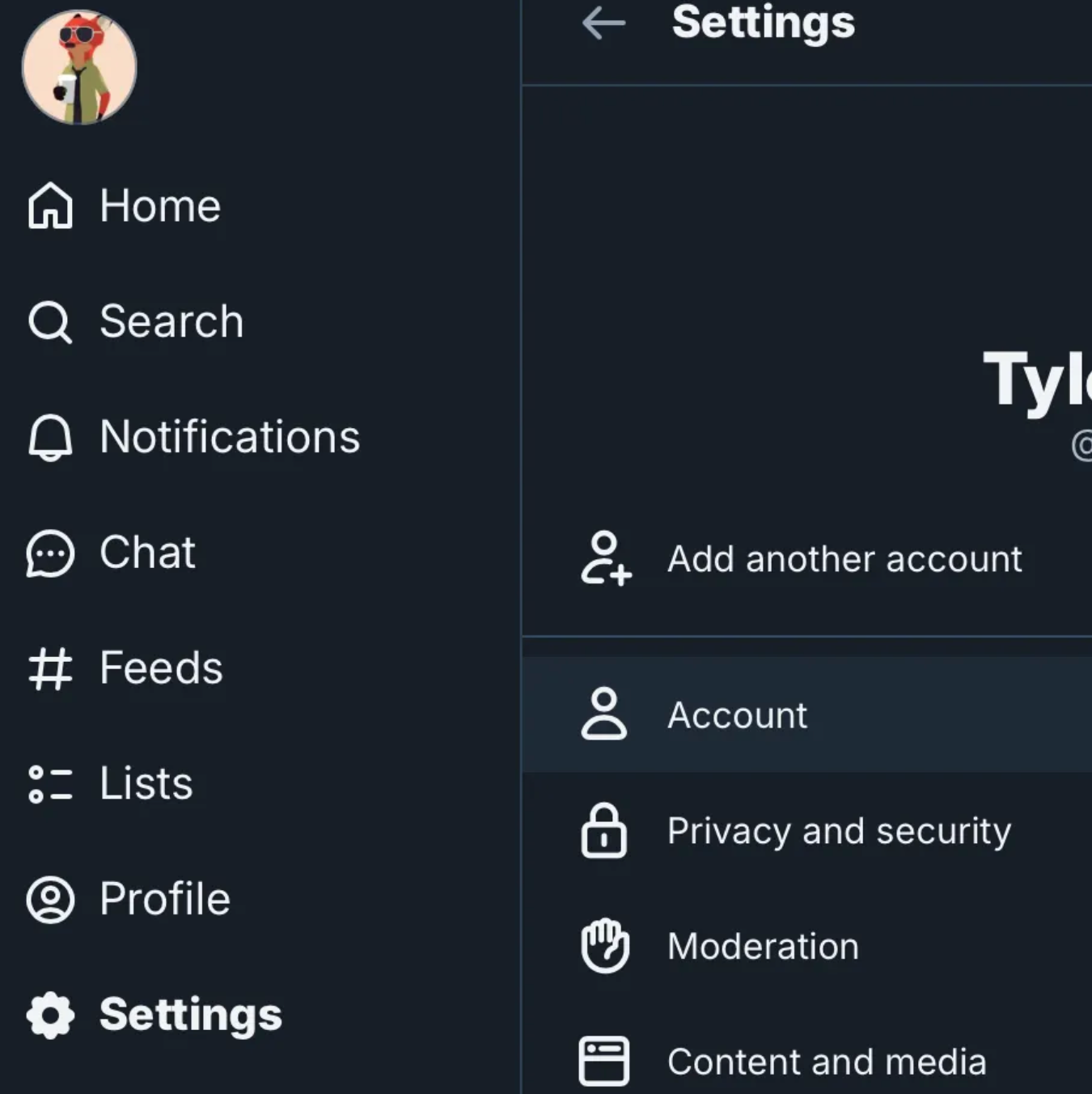
Once there, you'll se an option to adjust your Handle

Now you can provide your handle awesomehandle.io and it'll provide you with the instructions for creating the appropriate DNS records.
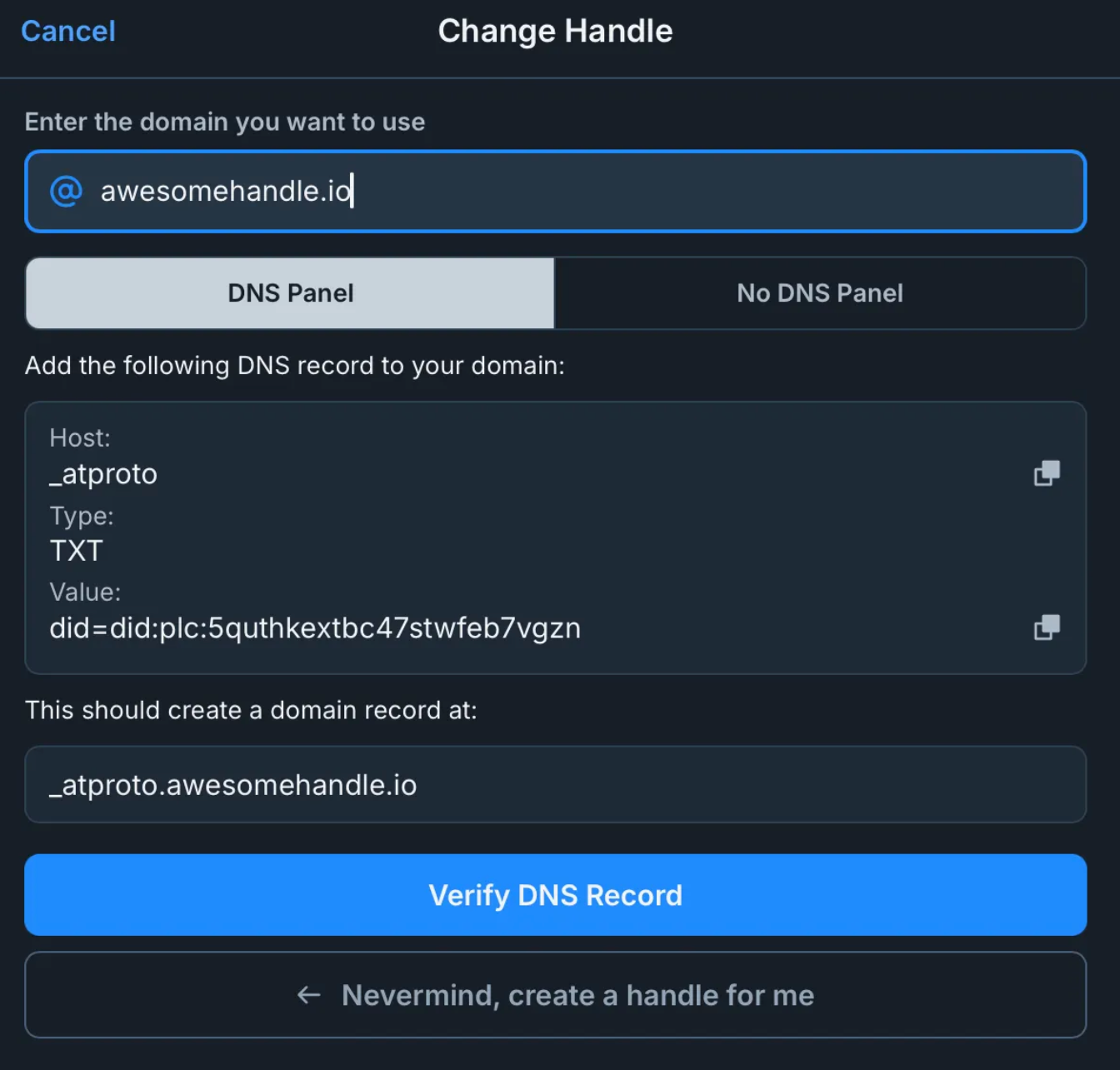
Off To Cloudflare We Go
With the above information, we can head over to Cloudflare to begin setting up our DNS records. If you don't already have a Cloudflare account, you can go ahead and sign up for a free account here.
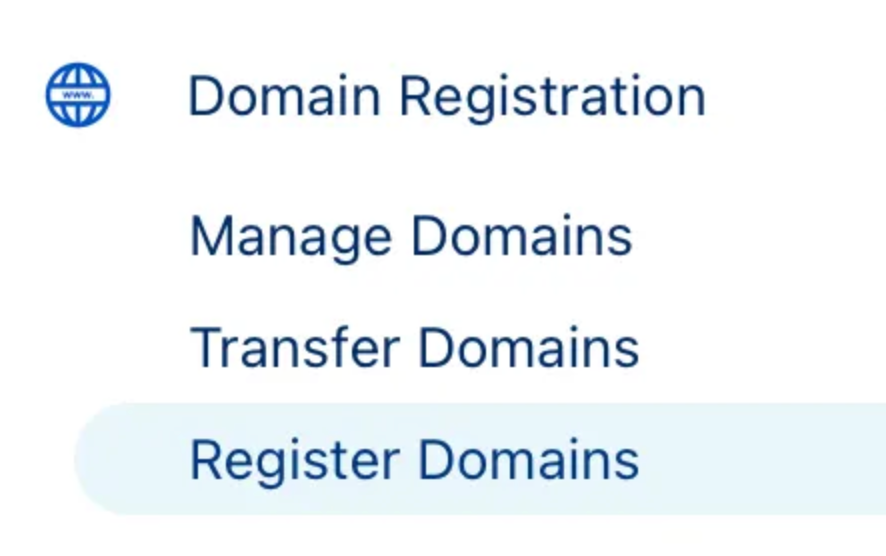
At this point, we've made some assumptions that we already own the domain that we want to work with. If that's the case, go ahead and skip to the next section. However if that's not the case, then what you want to do is get logged into your account and choose the Register Domains option from under the Domain Registration menu item on the left hand side of your screen.
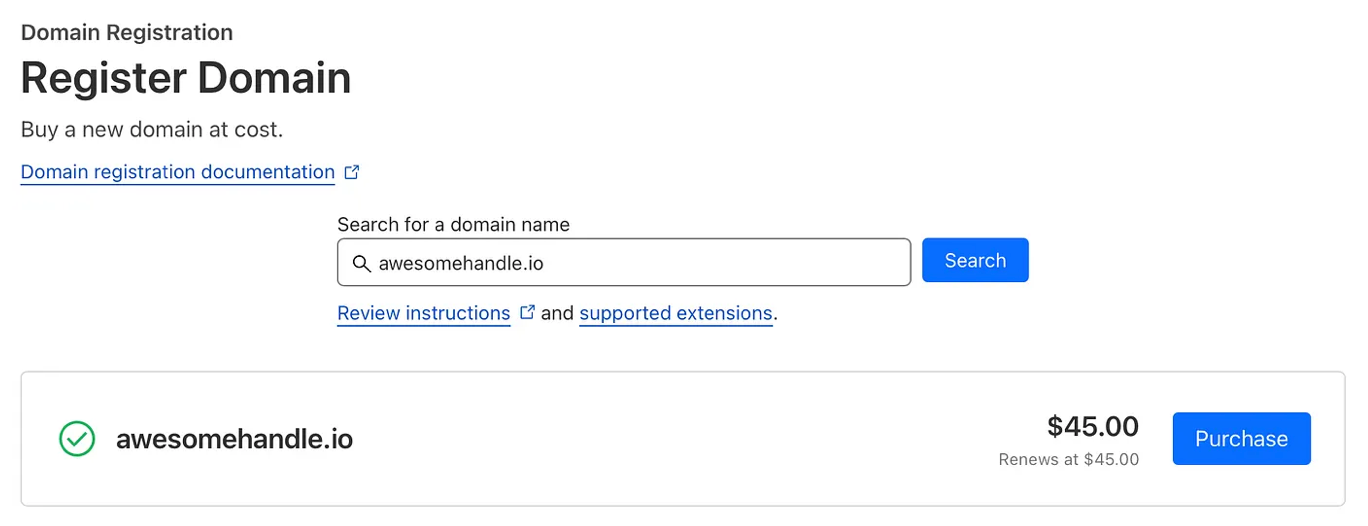
From there, you'll be able to search for whatever domain you're interested in and purchase it if it's available. From there, you can enter all your payment information and that ✨shiny new domain✨ will be all yours.
Time For DNS
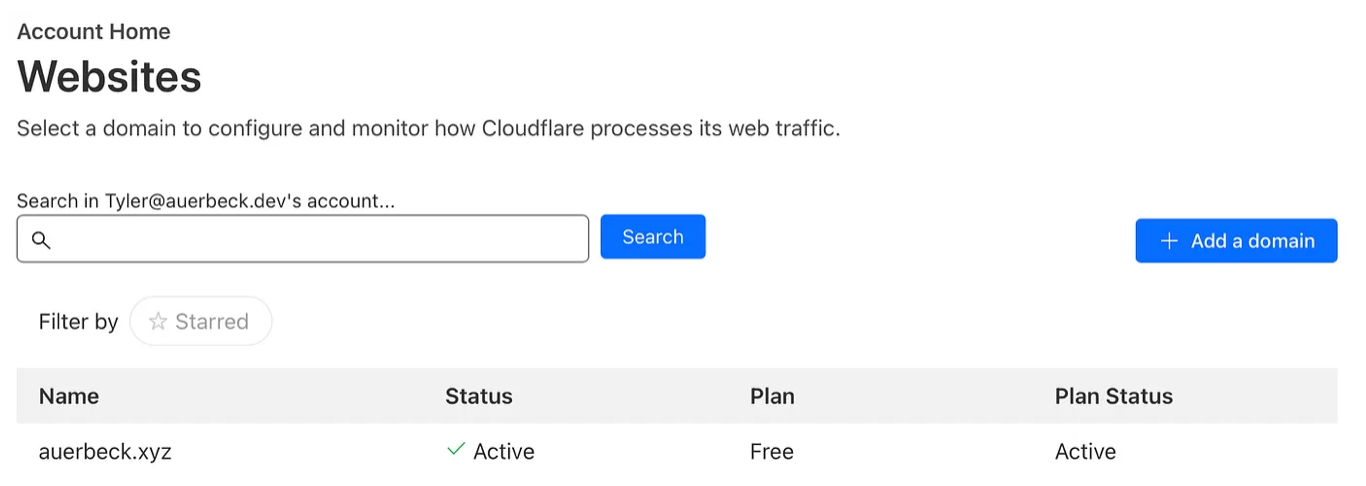
Now that we officially have our domain, we can go ahead and set up the appropriate DNS records so that Bluesky will start using it as our handle. To do this, from your accounts home screen you'll want to choose the domain that you want to work with. In my case, I used auerbeck.xyz (which you'll see in the following examples instead of our imaginary awesomehandle.io example domain we were using above.
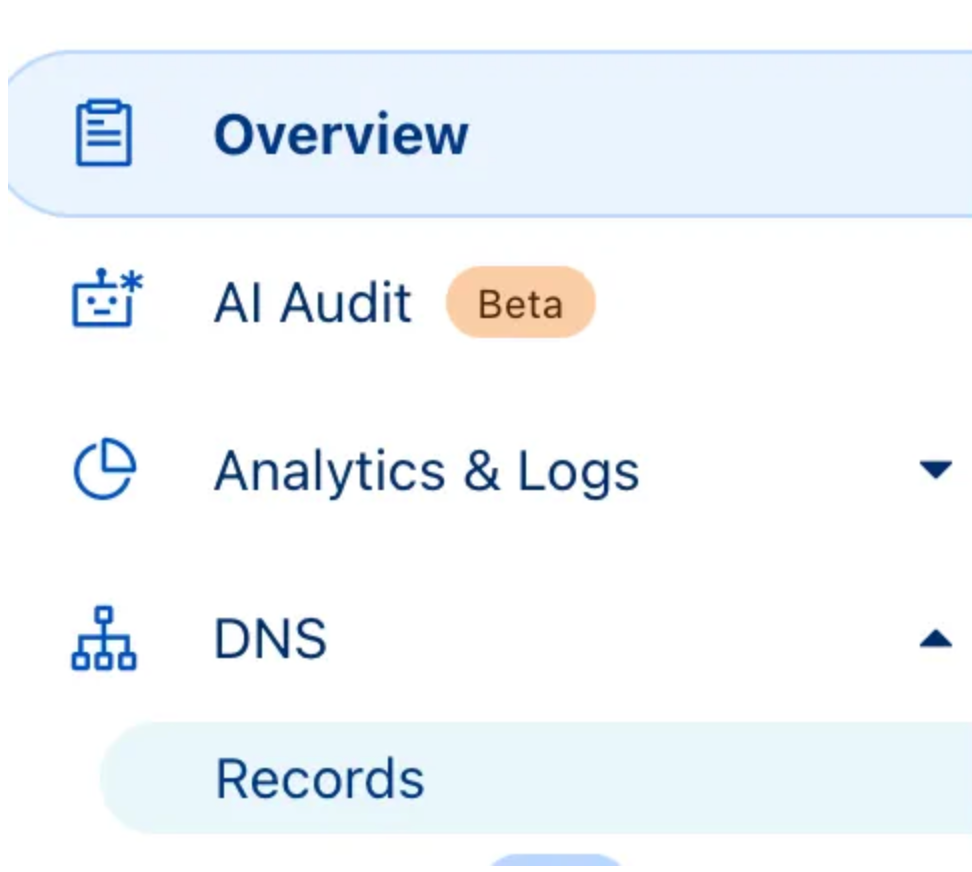
Once you click your domain, you'll land on the overview page for that domain. On the left hand side of the screen, you'll see a menu item for DNS with a Records option underneath that you can choose to begin crafting your records.
Once you click through, you'll see the option to Add Record and then you can choose TXT from the dropdown (as that's the type of record that Bluesky will be looking for. Based on the inputs that the prior Bluesky prompt had given us, we would create a record that looks like this.
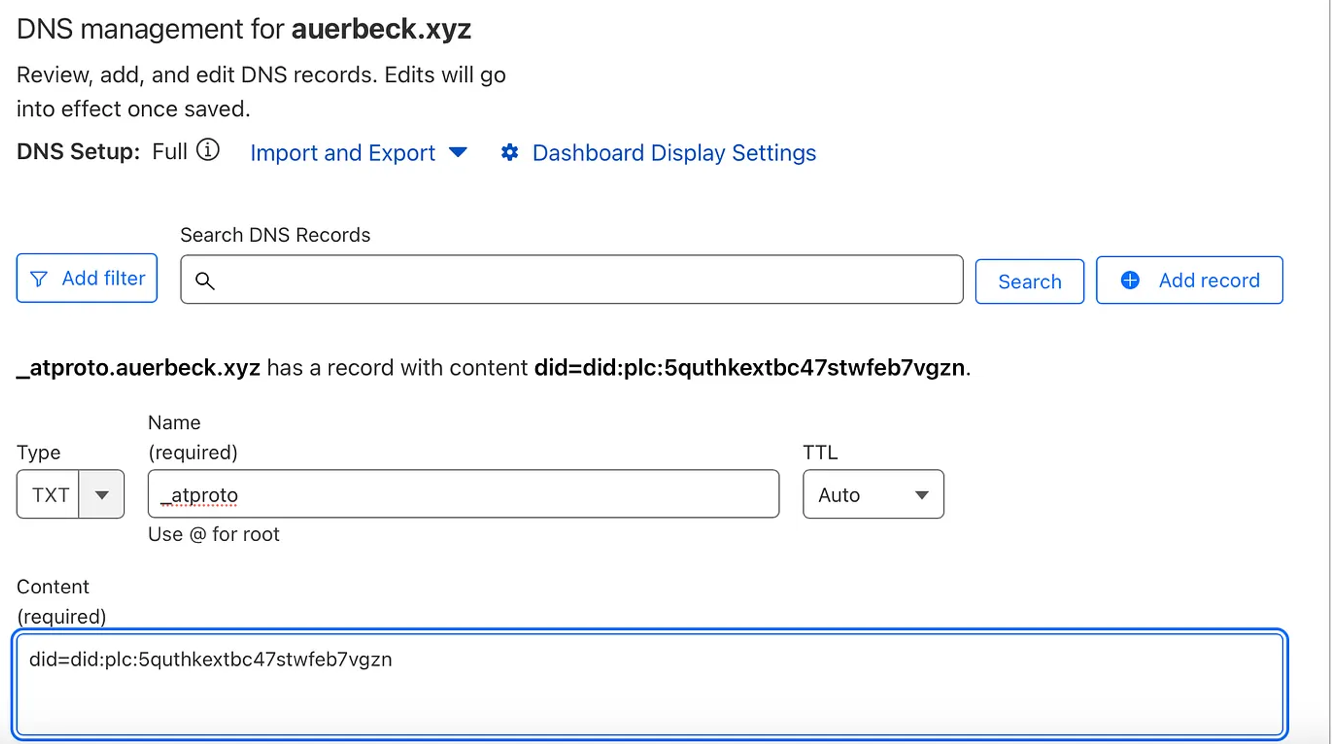
Once you verify that the above looks correct, you can click the Save button below your prompts and your record will be live! Once the record is saved, we can navigate back to our Bluesky screen and click Verify DNS Record. If all is configured as expected, then this will succeed and your new handle will be live!
But what about your old handle? Well more recently, you have nothing to worry about! Part of the process of switching to a custom domain now also reserves your previous handle (i.e. tylerauerbeck.bsky.social). However, when I had done this a month or so ago, this wasn't quite ready. So if you check here, you'll see that I just reregistered my old handle and left a pointer post to come find me at my new handle.
But really, that's it. That's all there is. You have your new handle. Go forth and post your heart away.
But Wait, There's More!
Now if all your want to do is use the root domain as your handle. You're done. Go do the thing I just said!
But if you're like me and were already hosting something at the root of your domain (in my case auerbeck.xyz), then this is going to be a problem. You can't have two things using the same DNS record! So what I wanted to do was make my handle a subdomain: tyler.auerbeck.xyz. Which really is no different than what we just did, just a few extra keystrokes in the right places. If we navigate back to create our DNS record, we would just make the following changes:
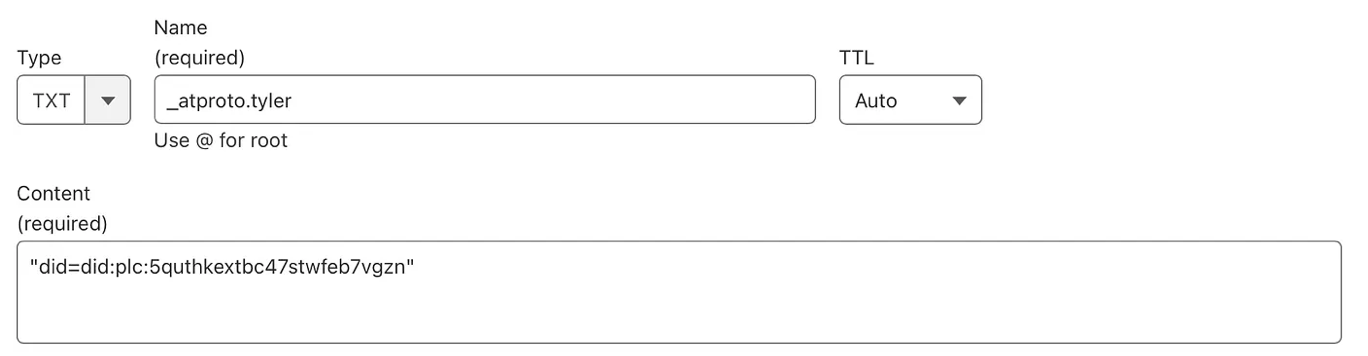
You'll notice that the record looks very familiar. However all I did was at the subdomain prefix to _atproto in order to create the expected DNS record. Once you're satisfied with the record, go ahead and click save and follow the same steps that we did previously to verify our DNS record. Once that succeeds, we're back in good shape! You'll know have a handle at a subdomain with your existing domain.
Becoming Easy To Find
At this point, we've got our custom domain in whatever shape we decided we want it. However if you're slapping your handle around on the internet, people may do something silly like click on it. Without some additional DNS legwork, this will be a problem. Initially, your handle isn't actually routable. What this means is that if someone were to try to hit tyler.auerbeck.xyz , you would just get something similar to Page Not Found. However, Bluesky provides a way for us to setup a redirect which will route that link to the Bluesky site and then lookup your actual profile. To do this, we'll create one more DNS record.
This time, we'll select CNAME from the record type dropdown. If you went the subdomain route, you'll use just the subdomain as the name. However, if your handle is just the root of your domain, you can leave it empty. Most importantly, we'll set the target as redirect.bsky.app. This will be the magic that routes the domain to Bluesky for lookup. Make sure that you uncheck the Proxy button and set this to DNS only and click save.

Once you click save, you may want to give it a minute or so for everything to propagate, but from that point forward you could actually drop navigate to your Bluesky handle in your browser and it will take you directly to your Bluesky profile.
Custom Domain Benefits
So with all of that done, is it really worth the effort to configure a custom domain? I personally believe so. Using a custom domain begins to provide at least a base layer of verification that this account is indeed you (rather than the more generic bsky.social, which anyone could register).
Additionally, once you begin to establish yourself using this identity, you want to make sure it's easy to find you there. So being able to use this custom domain and ensuring that traffic gets routed where a user may expect it goes a long way (vs. something with Twitter where folks just needed to know how to take @username wherever they happened to find it and then look it up on the bird site).
Regardless, I hope this makes the idea of having to work with DNS to get your desired handle on Bluesky a little more approachable. There are plenty of things that can go wrong when poking at DNS - sometimes they'll be your fault, and other times it'll be internet weather. But with the above instructions you should be able to start cruising Bluesky with the domain of your dreams ✨.